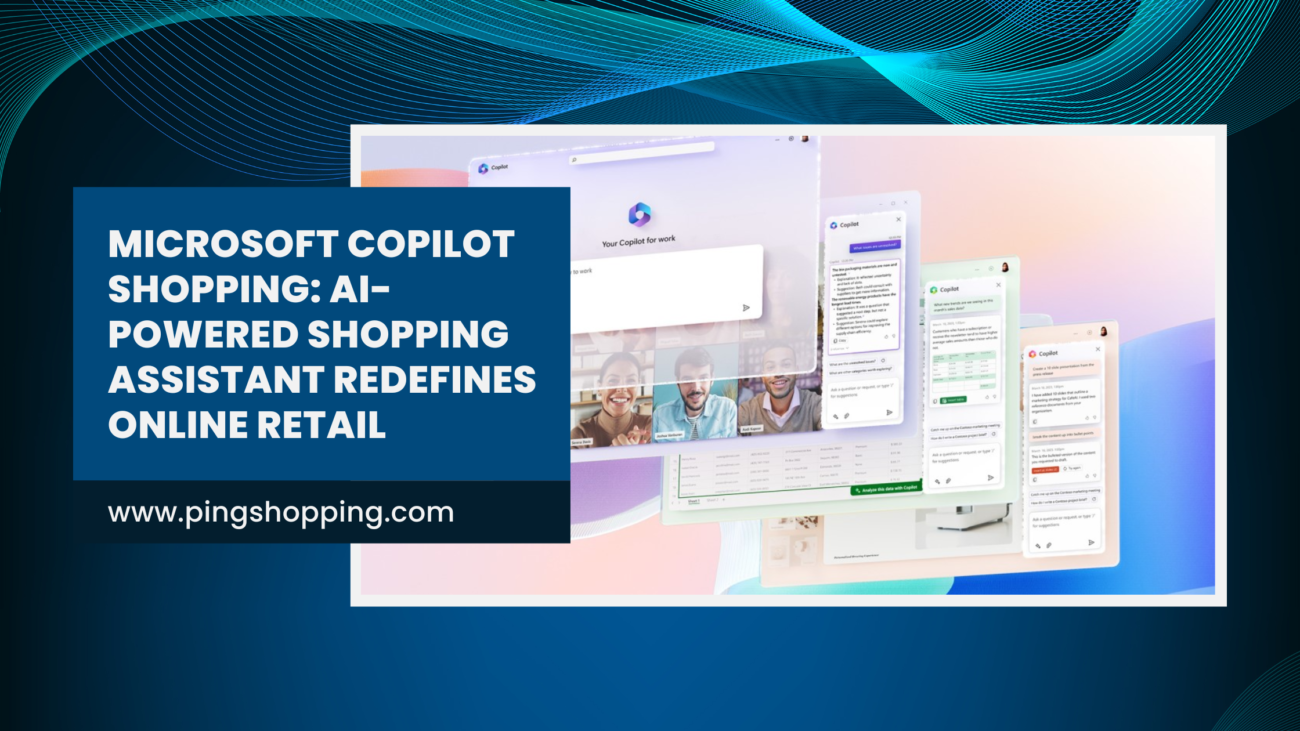
Online shipping has undergone significant evolution in the past few years. With the evolution of AI, it is transforming the way customers shop online. Even Microsoft has introduced Copilot Shopping, an AI-powered retail assistant in its built-in Copilot app. Initially, it is available for the mobile and web platforms, but soon going to be a part of PC as Microsoft’s growing AI ecosystem. Copilot Shopping brings an intelligent and personalized experience to users, so you can make purchases easier than ever.
Table of Contents
A Smarter Way to Shop Online
Microsoft has made a surprising move with Copilot Shopping after its 50th anniversary celebrations. It is trying to infuse artificial intelligence into everyday tasks now. For instance, if you are stuck in a shopping decision, take the help of Copilot Shopping. It will help you with dynamic visual cards that deliver product summaries, technical specifications, pros, cons, etc. You also get user-generated reviews to find out how reliable the product is. The conversational tone of Copilot turns shopping intuitive.
Unified Discovery, Comparison, and Checkout
With the Copilot Shopping, you can experience all-in-one integration of discovery, comparison, and purchase. Suppose a user chooses a product, then Copilot will provide an instant price comparison from multiple e-commerce platforms. This way, you can ensure receive the most competitive offers without any hassle. The real innovation lies in the in-app checkout feature because it eliminates the difficulty of navigating multiple sites. In addition, you can purchase directly via the Copilot app as it streamlines the entire e-commerce journey.
Live Price Tracking and Smart Alerts
One of the most crucial features of Copilot Shopping is its price tracking tool. The users can view a product’s price history and set a preferred price point with a simple slider interface. Interesting, isn’t it? If the products’ cost drops to a certain level, the Copliot Shopping will send an alert to help you buy at the right time. This smart price tracking system saves you from additional expenses.
Shopify Integration for Fast and Secure Transactions
Microsoft has joined hands with Shopify to get in-app transactions and checkout quickly using saved payment details. The integration is beneficial for small and medium-sized businesses to feature their products in the Copilot environment. It will help in reaching a wide audience base with less effort. Additionally, the collaboration with Shopify shows a strategic move to help Microsoft in entering between a vast network of merchants.
Merchant Program to Boost Product Visibility
Apart from all, Microsoft has also launched the Copilot Merchant Program to improve its shopping ecosystem. The retailers can organize product listings under this, including tech specs and imagery, into the Copilot database. Consequently, this turns Copliot Shopping into a dynamic discovery platform while enabling easy searchability and accurate product recommendations.
Personalized Recommendations for Every Shopper
Personalization is the primary goal of Copilot Shopping. Its AI engine analyzes user behaviour, preferences, and past interactions to generate tailored product suggestions. Using this, the brand is connecting more effectively with the target audience. What impresses the most about Copilot Shopping is its ability to understand users’ intent and needs, to ensure that every interaction adds value.
Expansion to PCs
Currently, Microsoft Copilot Shopping is available only for mobile and web users. However, it has signaled that soon AI-powered Windows PCs will have it too. That’s who Microsoft is advancing the capability of its AI shopping feature. It reflects the goal of providing a unified AI experience across productivity, communication, and e-commerce.
Microsoft’s AI Commerce Strategy Comes into Focus
By unveiling Copilot Shopping, Microsoft is clear with its vision of using AI in every possible area. Following Google’s and OpenAI’s shopping assistants, Microsoft is setting itself apart with in-app checkout and deep merchant integration. This shift will position it as a full-fledged AI platform that can assist users across various aspects of daily life.
Also Read
Final Thoughts
Shopping was never so smart as it is today due to the Microsoft Copilot Shopping assistant. It is more than just an upgrade to Copilot that reimagines the future of online shopping. Now, you can discover product recommendations, compare them in real-time, and interact with e-commerce in a new way. Shortly, the launch of Microsoft Copilot Shopping on desktop will make it a leading player in the digital shopping industry. For more, keep reading our tech news and user guide.
FAQs
What is Microsoft Copilot Shopping and how is it different from regular online shopping?
Copilot Shopping is an AI-powered shopping assistant from Microsoft that helps you at every step — from discovering products, comparing prices across retailers, tracking price drops, to completing the purchase within the app.
Unlike just searching on an e-commerce site, Copilot uses natural language prompts (“Find me a budget gaming laptop under ₹60,000 with long battery life”) and brings back curated options, price history and seamless checkout. So it’s less about browsing aimlessly and more about guided discovery + smart purchase.
Can I really trust Copilot Shopping to get the best deal and make smart choices?
In many cases — yes, it helps a lot. Copilot can show you historical price trends, alert you when an item drops to your target price, and compare across multiple stores. But a smart user still keeps their eyes open:
Check the seller’s reputation and return policy
Confirm that the listed specs match what you need
Consider currency, shipping, and import duties (especially in India)
In short — Copilot gives you a great head start, but you still own the final decision.
How quickly can I start using Copilot Shopping and what are some best practices to get value from it?
Pretty quickly! If you already use the Copilot app or Microsoft Edge with Copilot enabled, you can start asking questions like “Show me smartwatches under ₹10,000 with fitness tracking” and see curated results. Microsoft Support
Best practices:
Use natural language queries — you don’t need to be super technical.
Set a target price or budget — then let Copilot alert you when the price drops.
Use it when comparing large purchases (electronics, appliances) where differences matter.
Keep track of previous searches — having history helps the assistant learn your style.
Use it before you buy — don’t skip doing your homework just because it’s “AI-assisted”.